How to activate OpenSSH Server on Windows
-
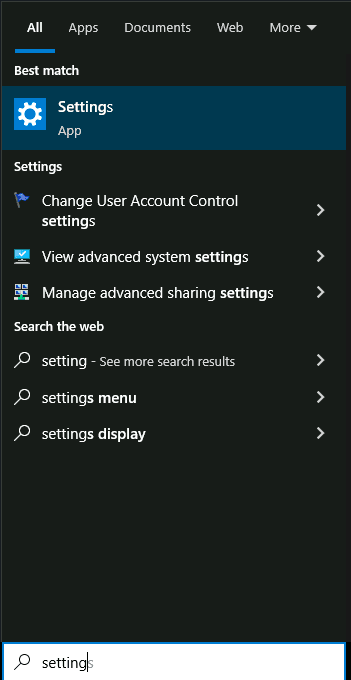
Open Settings.
-
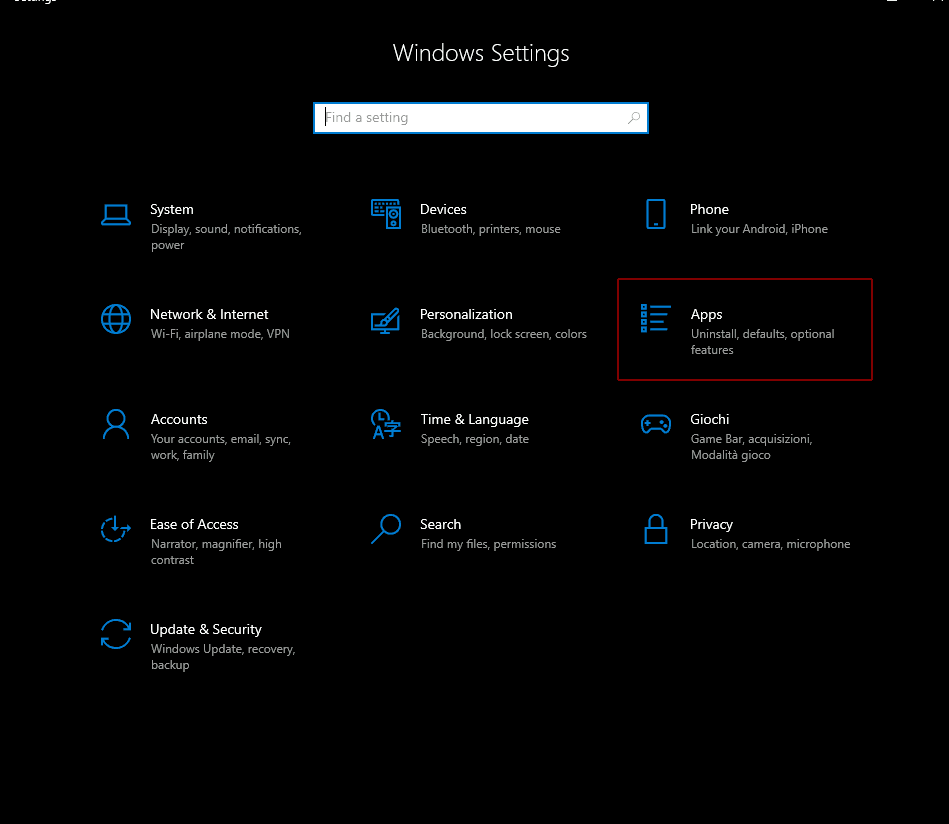
Open Apps.
-
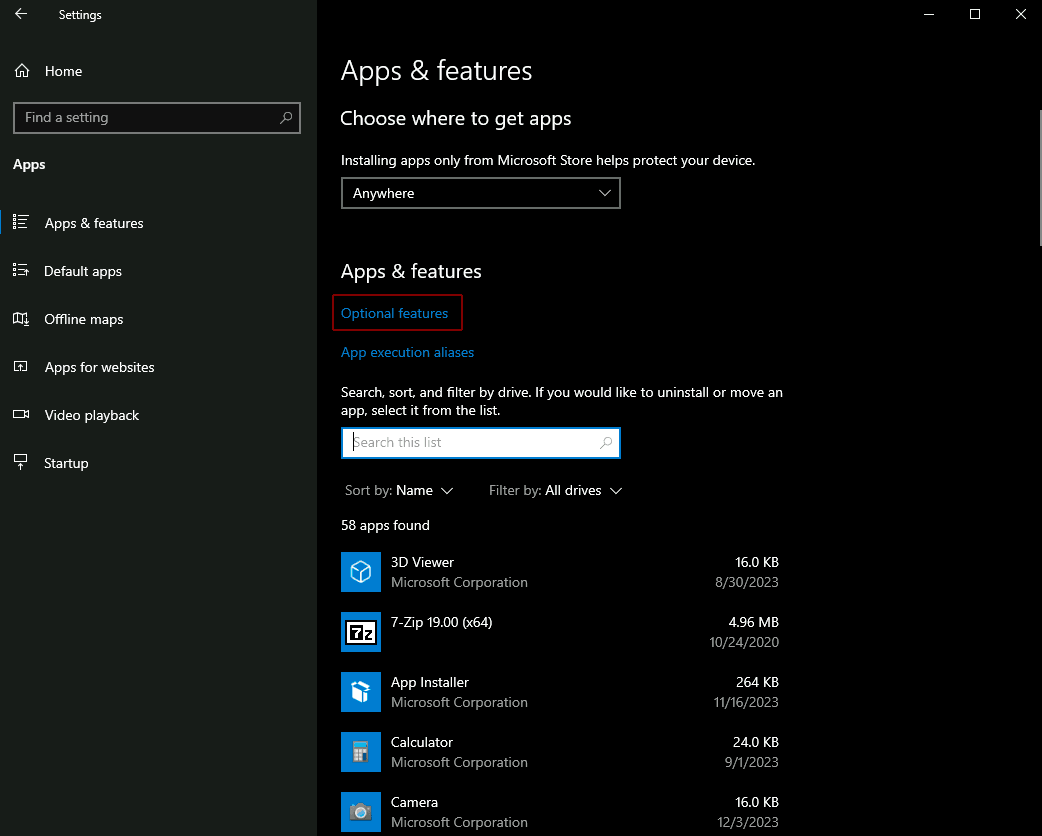
Open Optional features.
-
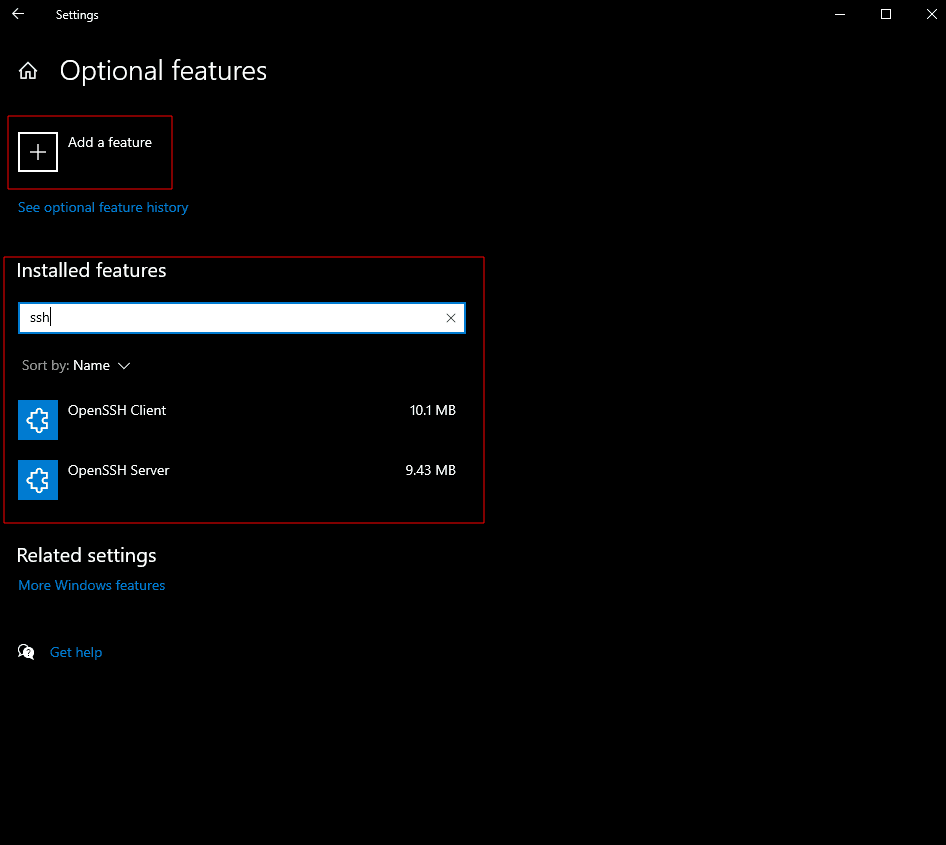
Look for OpenSSH Server among the installed features; if it is not present, open Add a feature and add OpenSSH Server.
-
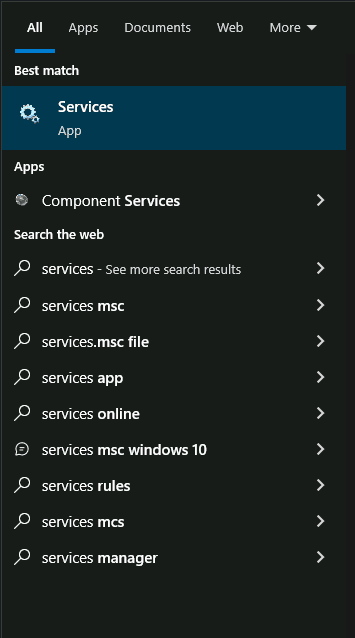
Search for Services.
-
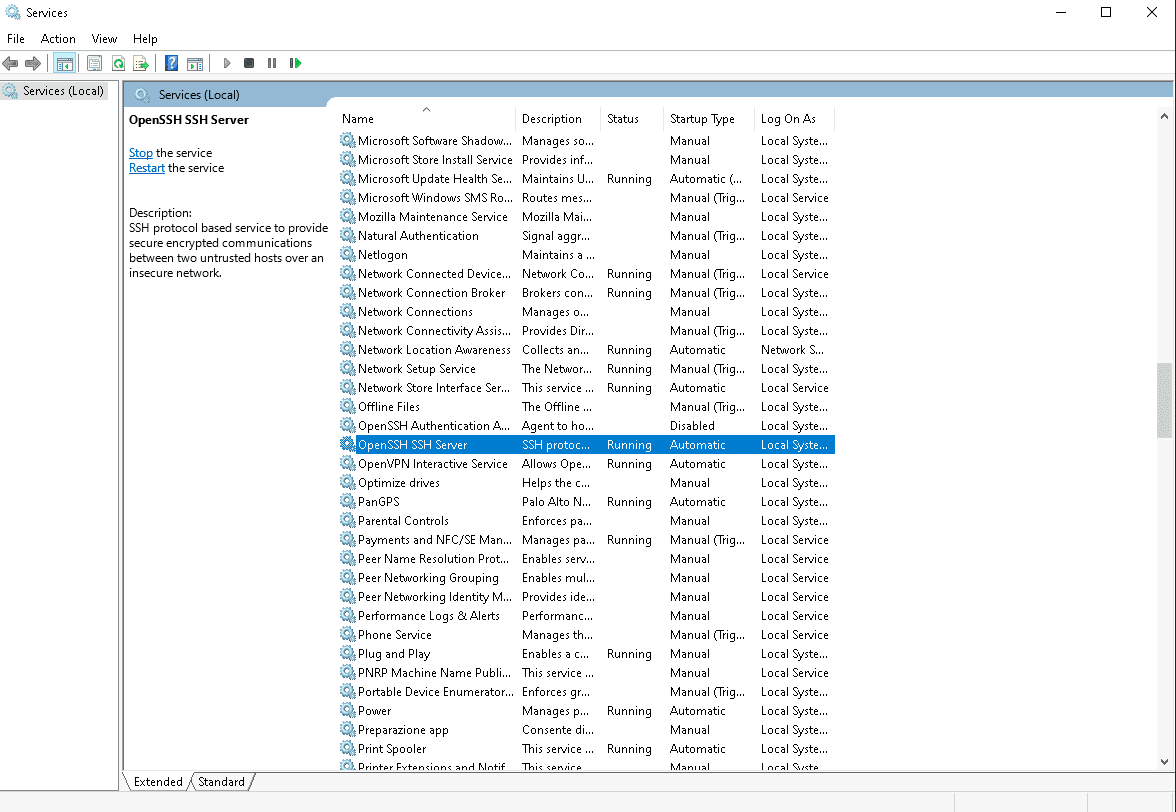
Look for OpenSSH SSH Server (or OpenSSH Server).
-
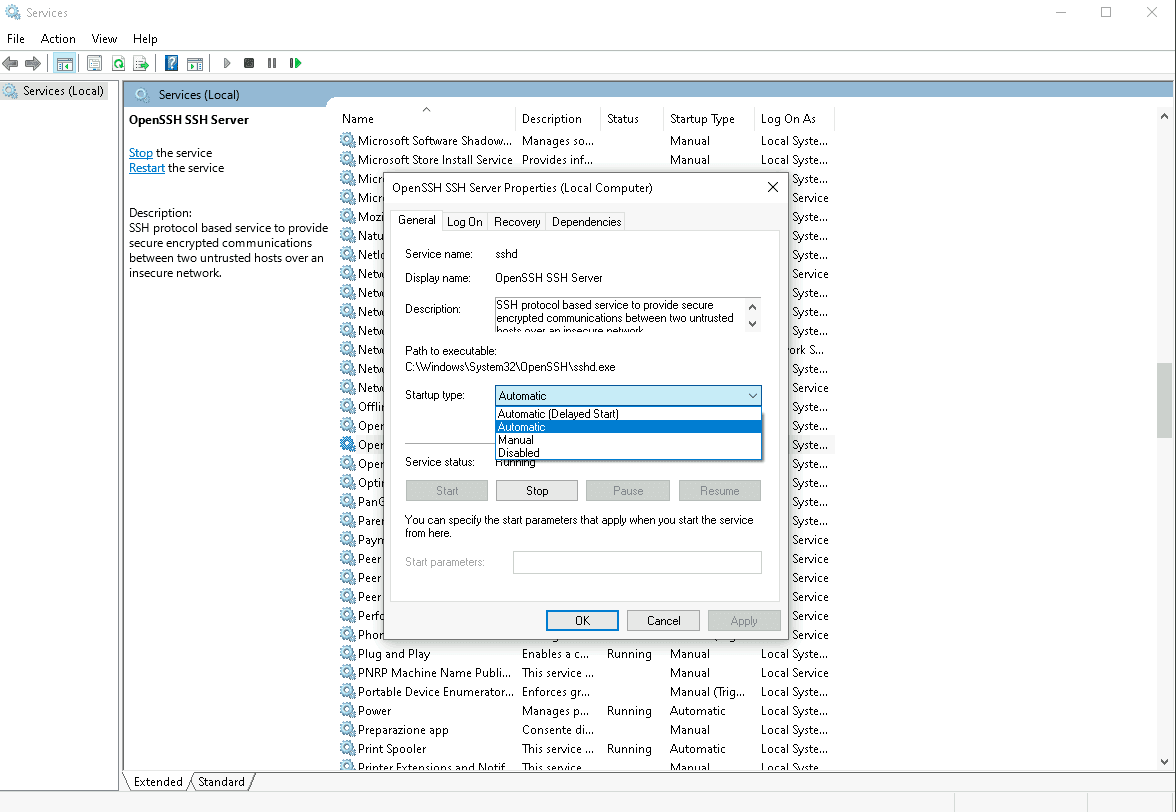
Right-click the service and select Properties.

-
Set Startup type to Automatic.
-
Click OK.
-
Make sure the service is active by checking that Service status, in the window of step 8, is Running.